
Why Download the GTV99 App?
GTV99 is redefining mobile gaming
In today's busy world, nobody has hours to sit at a desktop just to play games. With that in mind, GTV99 has built a fully featured mobile app that lets you jump into your favorite games from anywhere, at any time. Whether you are relaxing at home or on a quick break at work, the gtv99 app is always ready.
Many people assume a mobile app means fewer features or a compromised gaming experience. But once you use the GTV99 app, you will find it matches the web version in every way — and in some areas it is actually smoother and faster. Push notifications, a touch-first UI, and optimized loading speeds come together to make it a genuinely great mobile gaming experience.
Millions of users have already registered on the GTV99 platform. Most of them now play through the mobile app because it is more convenient and stable than the browser. If you are still using only the browser, give the app a try — you will notice the difference right away.
Which Device Will You Use?
Android App
GTV99 runs smoothly on any Android device running version 7.0 or above. Just download the APK file and install it directly — the whole process takes only a few minutes.
APK Size: ~45 MB
Bangla Interface Support
IOS App
Users on iPhone or iPad running iOS 13.0 or later can easily use the GTV99 app. Install it directly from the App Store.
iPhone and iPad Support
Face ID / Touch ID Support
Step-by-Step Guide to Installing GTV99 on Android
Get GTV99 ready on your Android phone in just 5 steps
Visit the GTV99 Website
Open the official GTV99 website from your Android phone's browser. Go to the download page and look for the Android APK button.
Download APK
Tap the "Download Android APK" button. The file will be saved to your phone's Downloads folder. The download typically completes within 30–60 seconds.
Enable Unknown Sources
Enable Settings → Security → Unknown Sources. This is required because the APK is installed outside of Google Play. The GTV99 file is completely safe and free of malware.
Open the APK File
Tap the downloaded APK file from your File Manager or notification bar. The installation screen will appear — tap the "Install" button.
Log In & Start Playing
Once installation is complete, open the GTV99 app. Log in with your existing account or create a new one. You are all set!
Guide to Installing GTV99 on iOS
Set Up GTV99 on Your iPhone or iPad with Ease
Open the Website in Safari
Open the official GTV99 website from Safari on your iPhone or iPad. For the best experience on iOS, Safari is the recommended browser.
Open the Share Menu
Tap the Share icon at the bottom of Safari (the box with an arrow pointing up). A menu will pop up.
Tap "Add to Home Screen"
Select "Add to Home Screen" from the menu. The GTV99 app icon will be added to your home screen.
Confirm Name & Add
Name it "GTV99" and tap the "Add" button at the top. That's it — you can now launch the app directly from your Home Screen.

Key Features of the GTV99 App
Why users love the GTV99 app
Fast Loading Speed: The GTV99 app is lightweight and optimized to run smoothly even on a 3G connection.
Push Notifications: Get instant notifications whenever a new promotion, bonus offer, or important update is available.
Enhanced Security: GTV99 keeps your account secure with SSL encryption and two-factor authentication support.
Dark Mode: The app has a built-in dark theme that reduces eye strain during late-night gaming sessions.
All Games in One Place: Fish Game, Bingo, Slots — all gtv99 games are playable right inside the app, no separate browser needed.
Fast Transactions: Deposits and withdrawals can be made directly within the app via mobile banking or e-wallet.
Live Support: Contact customer care directly within the app and get quick help with any issue.
Auto-Update: When new games or features are released, the app updates on its own — no manual action needed.
App vs. Browser: Which Is Better?
GTV99 App vs. Browser: A Comparison
| Features | GTV99 App | Browser |
|---|---|---|
| Loading Speed | Faster | Comparatively Slower |
| Push Notifications | Supported | None |
| Offline Cache | Partial | None |
| Battery Usage | Low | More |
| Biometric Login | Supported | None |
| Fullscreen Gaming | Yes | Partial |
What Games Are Available on the GTV99 App?
GTV99 is more than just a standard gaming app. It offers a wide variety of games that are hugely popular among users in Bangladesh.
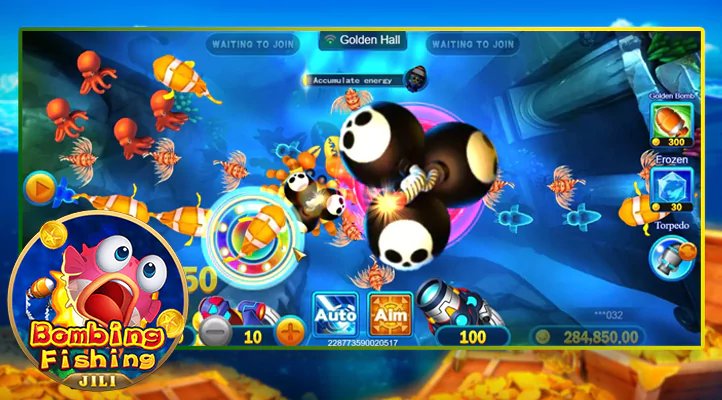
- Fish Game: This colorful deep-sea fishing game is one of the most popular categories on gtv99.
- Bingo: The classic bingo game is now in digital format — play simultaneously across multiple rooms with other players.
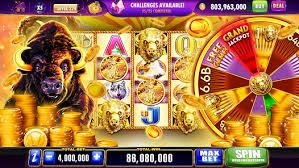
- Slot Games: Hundreds of themes and payline options in our Slots games — discover something new every day.
- Live Game: Real-time live games where you compete head-to-head against other players.
GTV99's game library is updated regularly, so there is always something new waiting for you each time you open the app. All your old favorites are still there, with new games added along the way.
Deposits & Withdrawals: All Within the App
One of the biggest advantages of the GTV99 app is the ability to handle financial transactions directly within it. Add funds to your account via mobile banking or e-wallet, or withdraw your winnings — all without leaving the app.
GTV99 uses top-level encryption during every transaction, keeping your financial information completely secure. Deposits typically reflect in your account within minutes, and withdrawal requests are processed quickly.
For regular gtv99 users, the app works as a complete ecosystem. Play games, deposit, withdraw, and check promotions — all in one place.
Is the GTV99 App Safe?
Yes, the official GTV99 app is completely safe. We always recommend downloading directly from the official source, as APK files from third-party sources may not be secure.
The GTV99 app undergoes regular security audits. SSL/TLS encryption is used to protect your personal information and financial data. After installing the app, if you are prompted for any suspicious permissions, decline them and contact customer support.
Frequently Asked Questions (FAQ)
Frequently Asked Questions About the GTV99 App Download